Manipulating strings
STAT1003 – Statistical Techniques
Dr. Emi Tanaka
Australian National University
These slides are best viewed on a modern browser like Google Chrome on a desktop or laptop. Some interactive components may require some time to fully load.
What are strings?
- Strings are sequences of characters enclosed in quotes
- In R, strings can use single
'or double"quotes
- What if you want to add quotes in the string then?
Special strings
- How to specify both single and double quote then?
- What if you want to write backslash then?
- Or just use the raw string (from R version 4.0.0)
Manipulating strings
The string may be manipulated using Base R functions, e.g.
paste0(),strsplit()But instead we use the
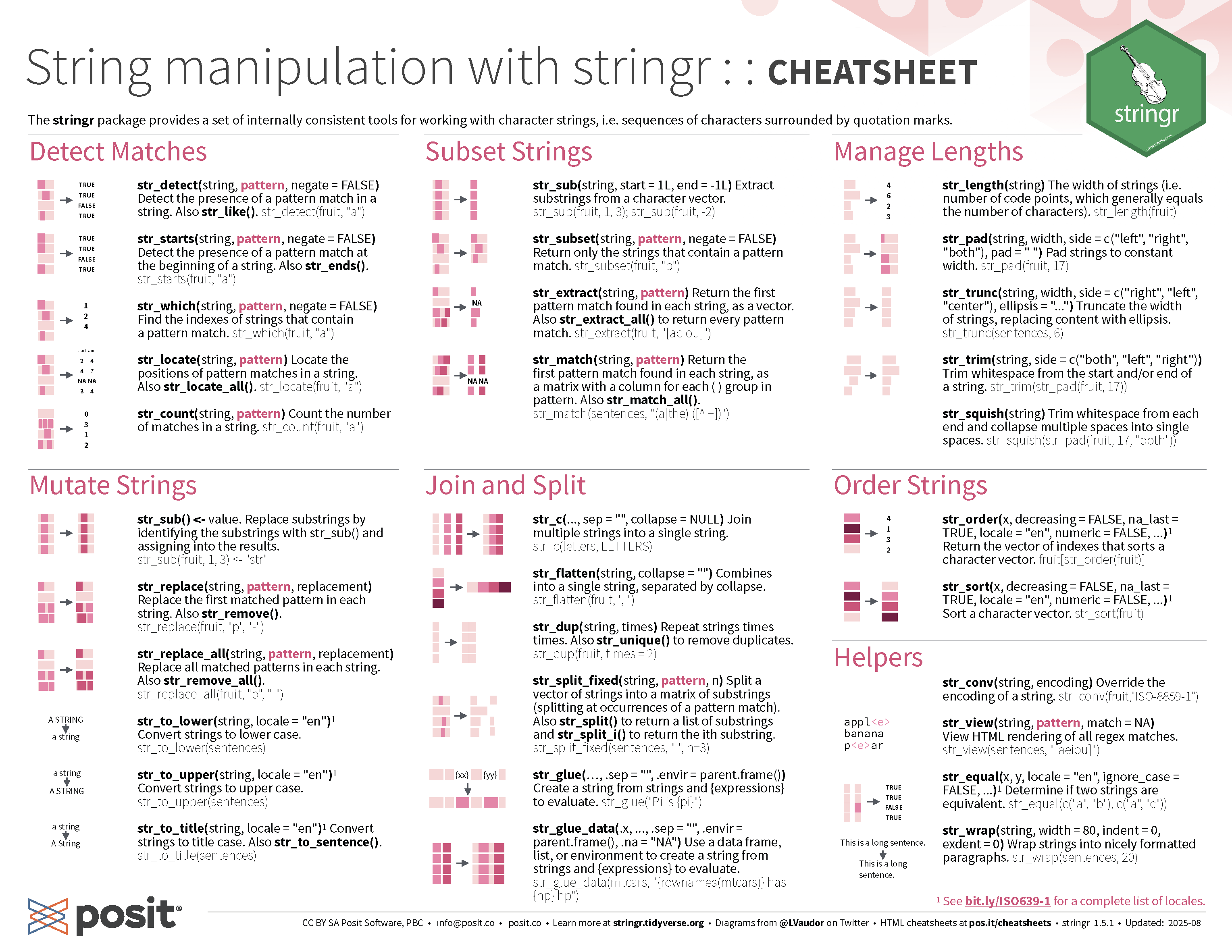
stringrpackage from the Tidyverse.stringrpackage is powered by thestringipackage, which in turn uses the ICU C library to provide fast performance for string manipulation.Main functions in stringr prefix with
str_(stringiprefix withstri_) and the first argument is a string (or a vector of strings)What do you think
str_trimandstr_squishdo?
Why use stringr?
- Let’s consider combining multiple strings into one:
stringrensures consistency in syntax and user expectation
- E.g. missing values in the data can have different expected results
Basic string operations
Pattern matching
- Suppose we have a variable
addressthat is comprised of street number, street name, suburb, state (or territory), and postcode.
- You can see the pattern is like:
<street number> <street name>, <suburb> <state> <postcode>[digits] [alphabets], [alphabets] [NSW|VIC|WA|ACT|QLD|SA|NT|TAS] [4 digits]
Regular expressions
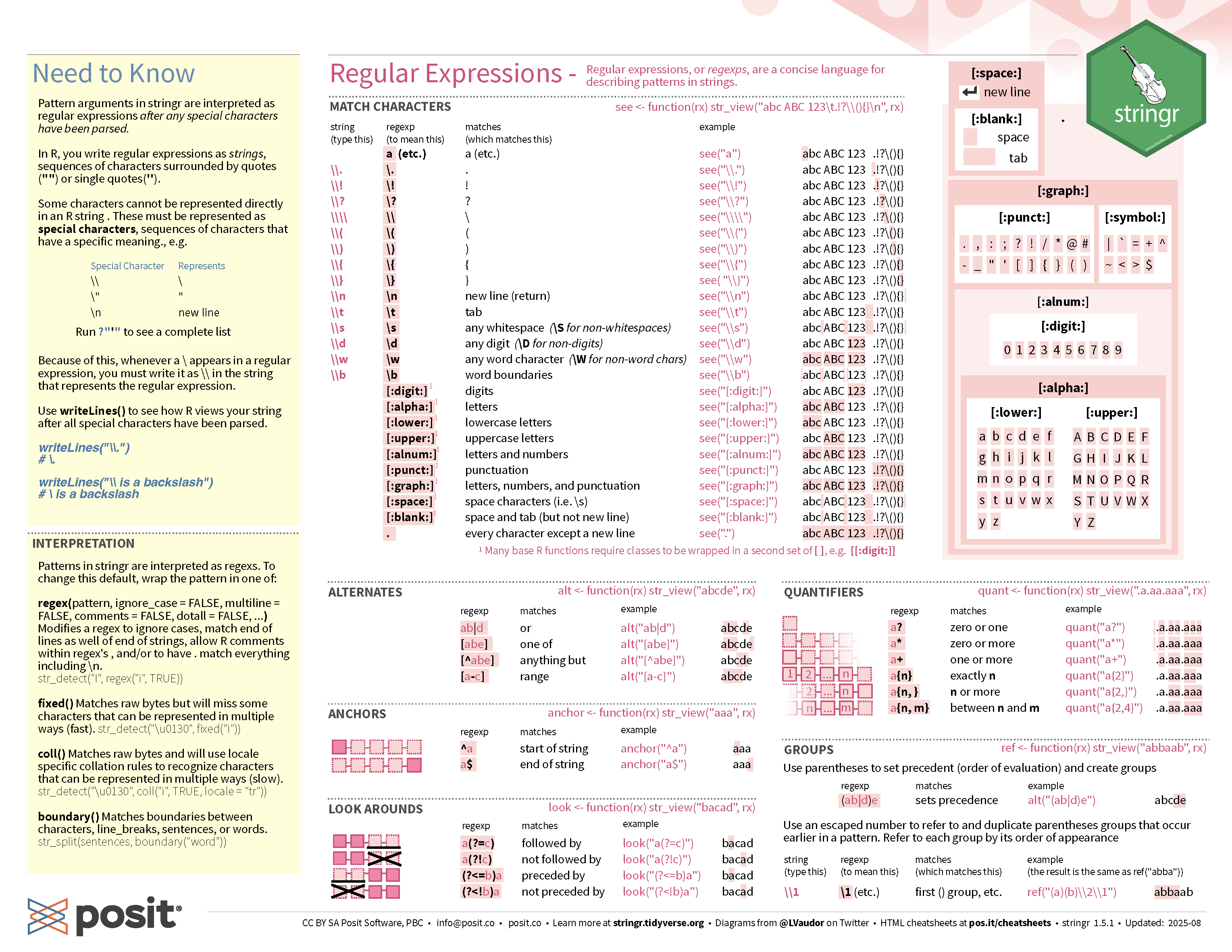
- Regular expressions, or regex, is a string of characters that define a search pattern.
[:digit:]or[0-9]matches any digit (0-9).matches any single character[:alpha:]or[A-Za-z]matches any alphabetic character (a-z, A-Z)+matches 1 or more of the preceding character(and)are used to create capture groups|acts as a logical OR{n}matches exactlynoccurrences of the preceding character
Named capture groups
But in the context of data, it may be better to use the separate_wider_regex() from tidyr package.
Case study Australian Local Government Area
- The LGA names include the LGA status in the bracket:
- C = Cities
- B = Boroughs
- M = Municipalities
- RegC = Regional Councils
- A = Areas
- S = Shires
- T = Towns
- RC = Rural Cities
- DC = District Councils
- AC = Aboriginal Councils
🎯 Extract the LGA status from the data
Checking the pattern
- If regex is difficult for you, AI can help you with refining your pattern.
- But be sure to check if the pattern works for your data!
String interpolation
Recall: paste0(), paste() or stringr::str_c() can combine strings:
- Above works, but it can be more convenient to interpolate strings with
{}:
stringr cheatsheet

STAT1003 – Statistical Techniques