Meta data with YAML

STAT1003 – Statistical Techniques

Dr. Emi Tanaka

Australian National University

These slides are best viewed on a modern browser like Google Chrome on a desktop or laptop. Some interactive components may require some time to fully load.

YAML - YAML Ain’t Markup Language

Basic YAML format to specify document metadata use key-value pairs.


key: value
title: "Meta data with YAML"
subtitle: "The Basics"
author: "Emi Tanaka"
date: "`r Sys.Date()`"
engine: knitr
format: html
  • There must be a space after “:”!
  • White spaces indicate structure in YAML - don’t use tabs though!
  • Same as R, you can comment lines by starting with #.
  • YAML is case sensitive.
  • Logical values are specified as true or false (all lowercase) in YAML (not TRUE or FALSE like in R).
  • If the value is a string and contains special characters (e.g., :, #, -), it should be enclosed in quotes.

YAML in Quarto documents

In Quarto documents, YAML metadata is usually placed at the very top of the document, enclosed by triple dashes ---.

  • Some common keys used in Quarto documents:
    • title - the title of the document
    • subtitle - the subtitle of the document
    • author - the author of the document
    • date - the date of the document
    • abstract - a brief summary of the document
    • format - the output format of the document (e.g., html, pdf, docx)

You can find available keys by format at https://quarto.org/docs/reference/

YAML with multiple key values and nested keys

  • A key can hold multiple values.

  • Multiple values can be listed as a list:

key: 
  - value1
  - value2
  - value3
  • Or it can be separated by a comma within a square bracket:
key: [value1, value2, value3]

A key can contain other keys by indenting them below the parent key.


---
format: 
  html:
    toc: true
    theme: sketchy
  pdf: default
---


  • What does each of the above keys do?
  • The best way to find out is to try them out!

Values spanning multiple lines

A value can span multiple lines in two ways:

  • Using the pipe symbol | to preserve line breaks.
  • Using the greater-than symbol > to fold lines (line breaks become spaces).
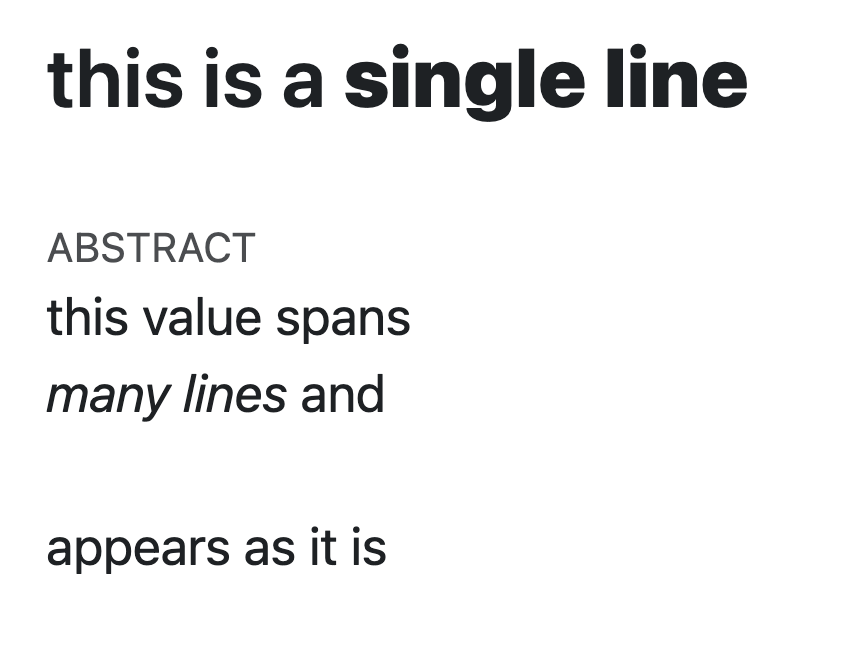
---
title: >
  this is a  
  
  **single line**
  
abstract: |
  | this value spans   
  | *many lines* and      
  | 
  | appears as it is     
  
format: html
---