Data wrangling with Tidyverse

STAT1003 – Statistical Techniques

Dr. Emi Tanaka

Australian National University

These slides are best viewed on a modern browser like Google Chrome on a desktop or laptop. Some interactive components may require some time to fully load.

Tidyverse

  • Tidyverse refers to a collection of R-packages that share a common (opinionated) design philosophy, grammar and data structure.

  • This trains your mental model to do data science tasks in a manner which may make it easier, faster, and/or fun for you to do these tasks.
  • library(tidyverse) is a shorthand for loading the 9 core tidyverse packages: ggplot2, dplyr, tidyr, readr, tibble, purrr, stringr, forcats, lubridate.

A grammar of data manipulation

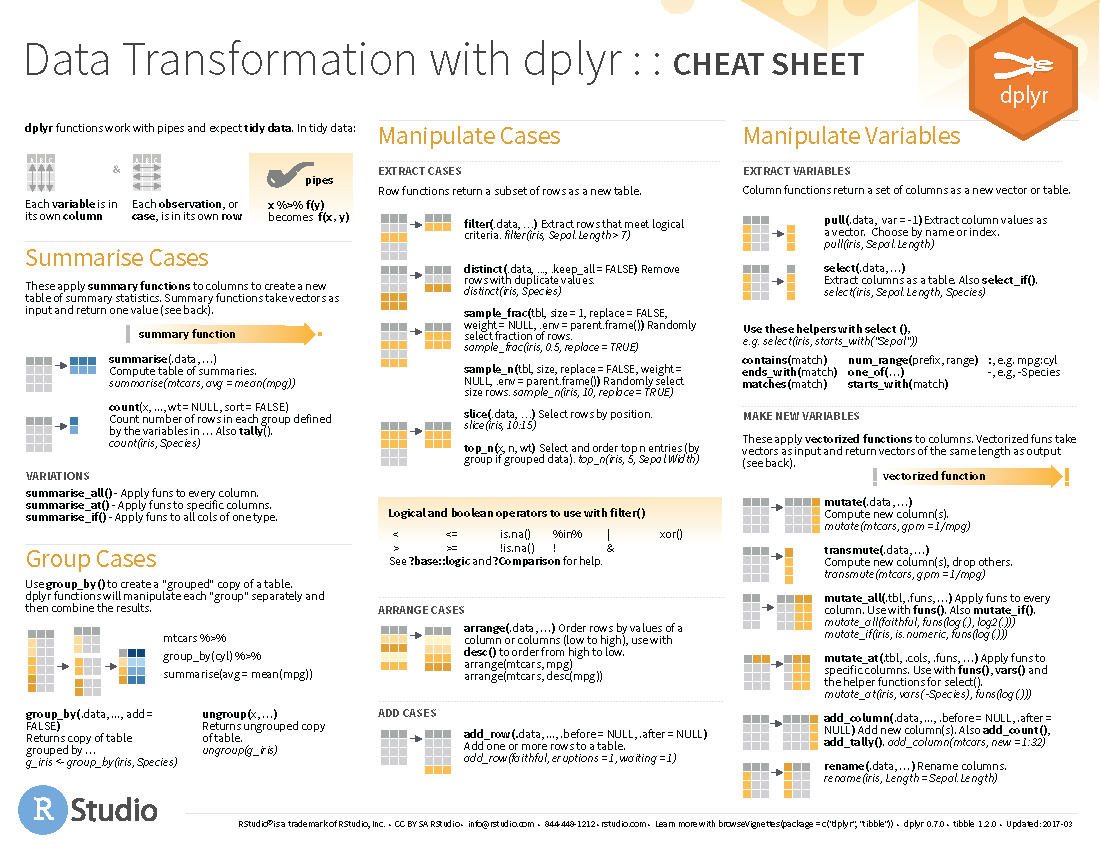
  • dplyr is a core package in tidyverse
  • It provides a grammar of data manipulation that is consistent with the tidyverse design philosophy.
  • Similar data manipulation can be achieved with base R but dplyr provides a more consistent and user-friendly interface for data manipulation tasks.
  • The earlier concept of dplyr (first on CRAN in 2014-01-29) was implemented in plyr (first on CRAN in 2008-10-08).
  • The functions in dplyr has been evolving but dplyr v1.0.0 was released on CRAN in 2020-05-29 suggesting that functions in dplyr are maturing and thus the user interface is unlikely to change.

Lifecycle

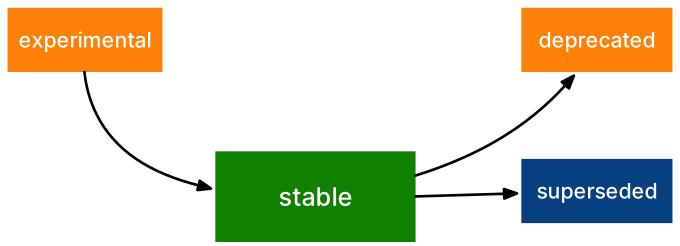
  • Functions (and sometimes arguments of functions) in tidyverse packages often are labelled with a badge like on the left

Lionel Henry (2020). lifecycle: Manage the Life Cycle of your Package Functions. R package version 0.2.0.

dplyr “verbs”

  • The main functions of dplyr include:
  • arrange
  • select
  • mutate
  • rename
  • filter
  • summarise
  • Notice that these functions are verbs.
  • Functions in dplyr generally have the form:
verb(data, args)
  • The first argument data is a data.frame object.
  • Let’s use the tips data from GGally package to illustrate some of the dplyr functions.
  • What do you think the following will do?

Pipe operator

  • Almost all the tidyverse packages use the pipe operator %>% from the magrittr package.
  • R version 4.1.0 introduced a native pipe operator |> which is similar to %>% but with some differences.
  • x |> f(y) is the same as f(x, y).
  • x |> f(y) |> g(z) is the same as g(f(x, y), z).
  • When you see the pipe operator, read it as “and then”.

Tidyselect

  • Tidyverse packages generally use syntax from the tidyselect package for column selection.

Selection language

  • The selection language in tidyselect can be found in the documentation:

tibble objects

  • tibble is a modern reimagining of the data.frame object.

Subsetting by column via Tidyverse

What’s the difference between these?

Subsetting by row via Tidyverse

What is happening here?

See also filter_out() for filtering out rows by condition for dplyr v1.2.0 or greater.

Adding or modifying a column via Tidyverse

  • You can add new columns or modify existing columns using mutate().
  • For conditional modification, you can use ifelse() or case_when().

Also see recode_values(), replace_values(), and replace_when() for dplyr v1.2.0 or greater.

Sorting columns via Tidyverse

  • You can use select() along with everything() to reorder columns.
  • Similarly, you can use relocate() to move columns around.

Sorting rows via Tidyverse

Calculating statistical summaries by group via Tidyverse

  • The summarise() function allows you to calculate statistical summaries by group.
  • The n() function is a special function that counts the number of observations in each group
    (note: it only works within selective Tidyverse functions).
  • You are recommended to use .by for group operations.

Applying a function to multiple columns via Tidyverse

  • The across() function allows you to apply functions to multiple columns.

Summary

  • Tidyverse packages share a common design philosophy, grammar and data structure.
  • This can train your mental model that is applicable across multiple packages that adopt the Tidyverse design philosophy.
  • The core package dplyr provides a grammar of data manipulation.
  • The main functions in dplyr are verbs that take a data.frame (or tibble) as the first argument.
  • Combining with pipe operator, it can make the code easier to read and write by humans.

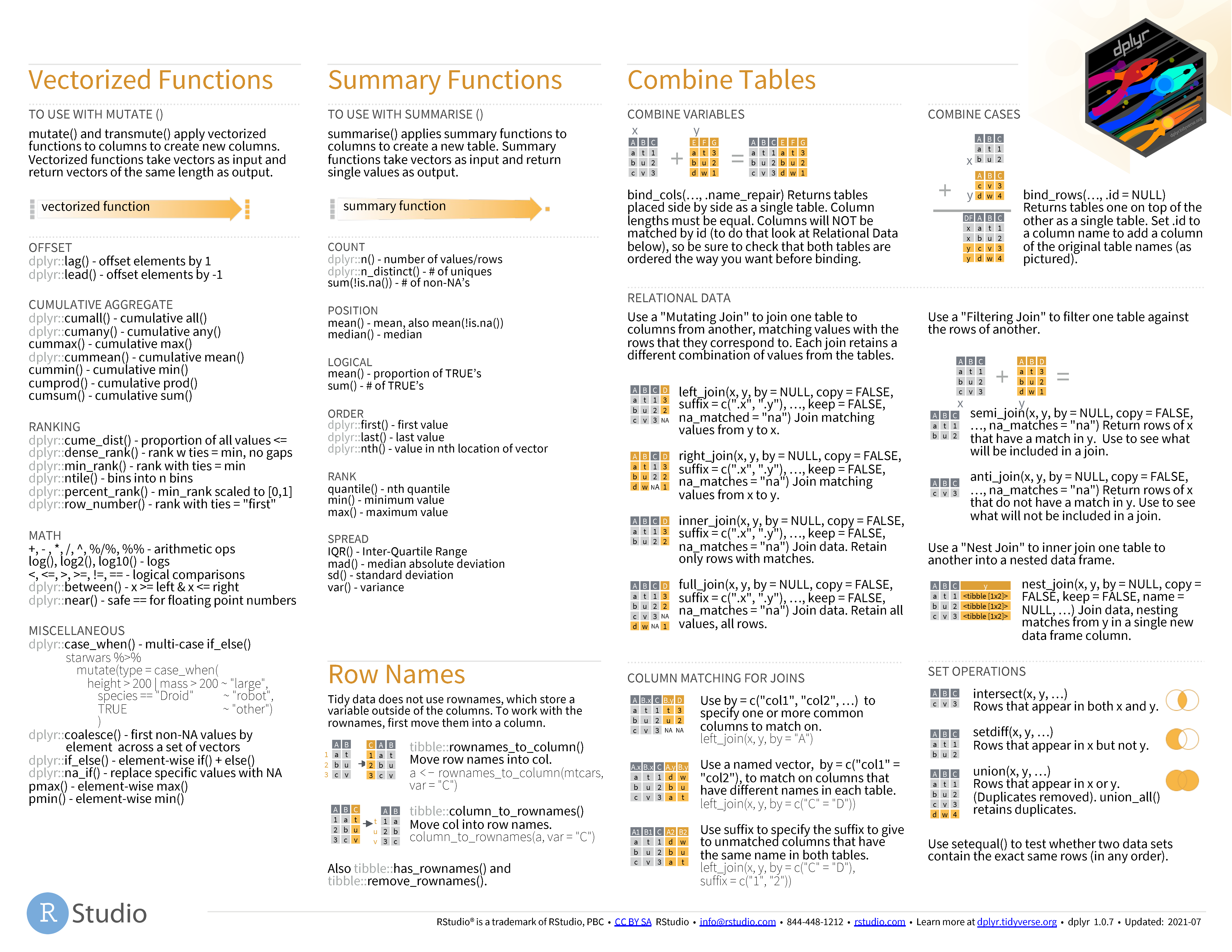
dplyr cheatsheet