Getting started with R
STAT1003 – Statistical Techniques
Australian National University
These slides are best viewed on a modern browser like Google Chrome on a desktop or laptop. Some interactive components may require some time to fully load.
What is R?
- R is a programming language predominately for data analysis.
- RStudio Desktop is an integrated development environment (IDE) that helps you to use R.
- Visual Studio Code and Positron are other popular IDEs.
How do you use R?
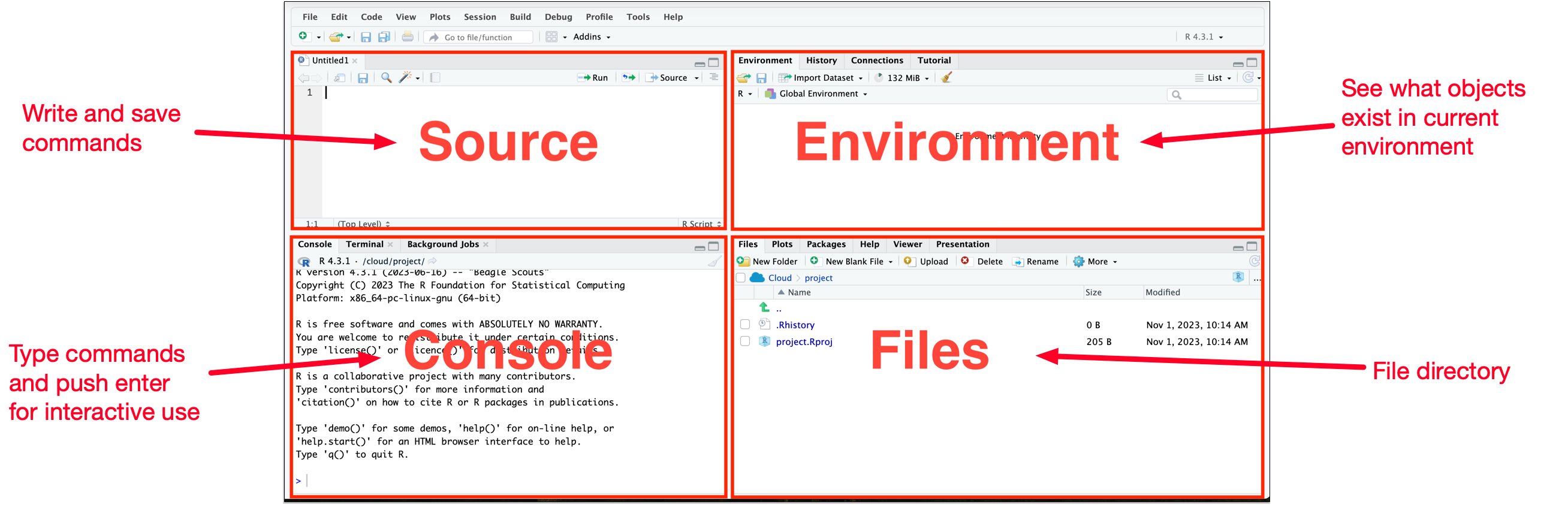
- RStudio Desktop (or RStudio IDE) is the most common way to use R.
Customise Global Options
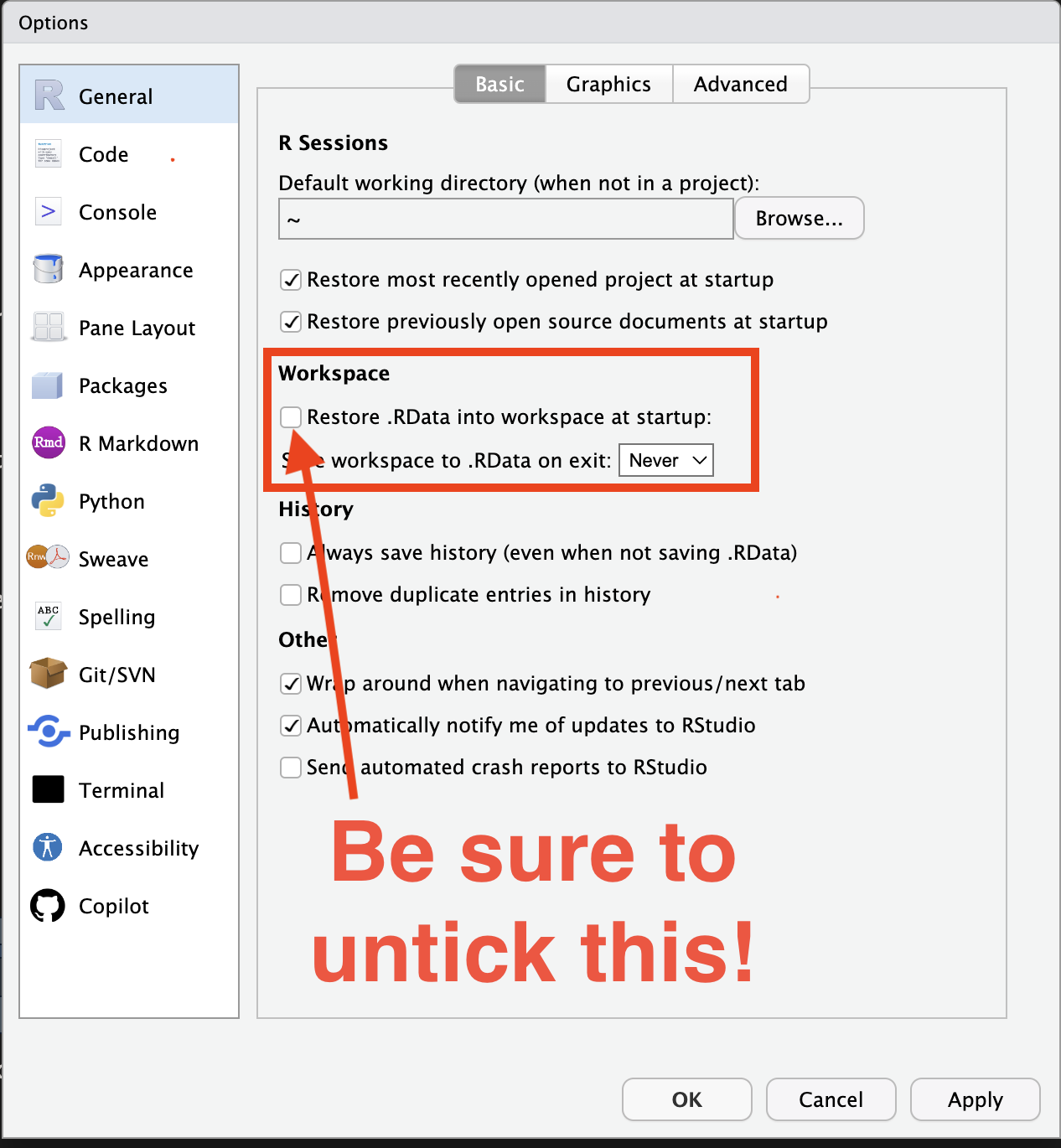
- Go to RStudio > Tools > Global Options…
- Under the General tab, make sure the “Restore .RData into workspace at startup” is unticked.
- This avoids unexpectedly loading (old) data into your workspace and making your code only work in your workspace, but not for others (which is bad reproducible practice).
Base R
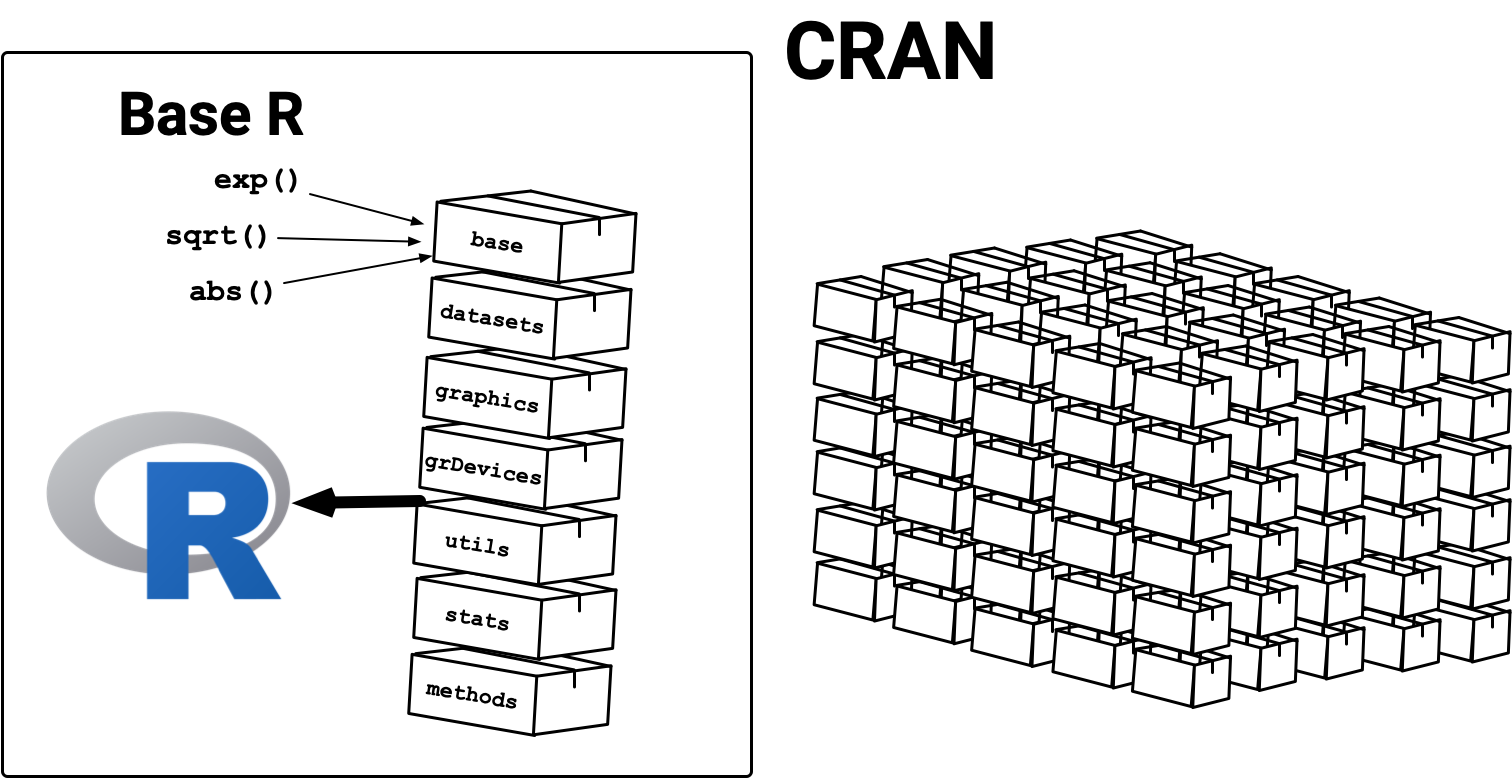
R has 7 packages:
base,datasets,graphics,grDevices,
utils,stats,methods,
collectively referred to as “Base R”, that are loaded automatically when you launch it.
- The functions in the base packages are generally well-tested and trustworthy.
Contributed R Packages
- R packages are community developed extensions to R (much like apps on your mobile).
- The Comprehensive R Archive Network (CRAN) is a volunteer maintained repository that hosts submitted R packages that are approved (much like an app store).
- There are close to 20,000 packages available on CRAN but the qualities of R packages vary.
- There are other repositories that host R packages, e.g. Bioconductor for bioinformatics, R Universe, R-Forge, GitHub (we won’t cover these).

Photo by Sara Kurfeß on Unsplash
Summary
RStudio Desktop (or RStudio IDE)
Console or Source
- Use
?functionorhelp(function)to look at the function documentation - Use
install.packages()to install a package (only once). - Use
library()to load a package. - Use
package::function()to use a function from a package without loading it.
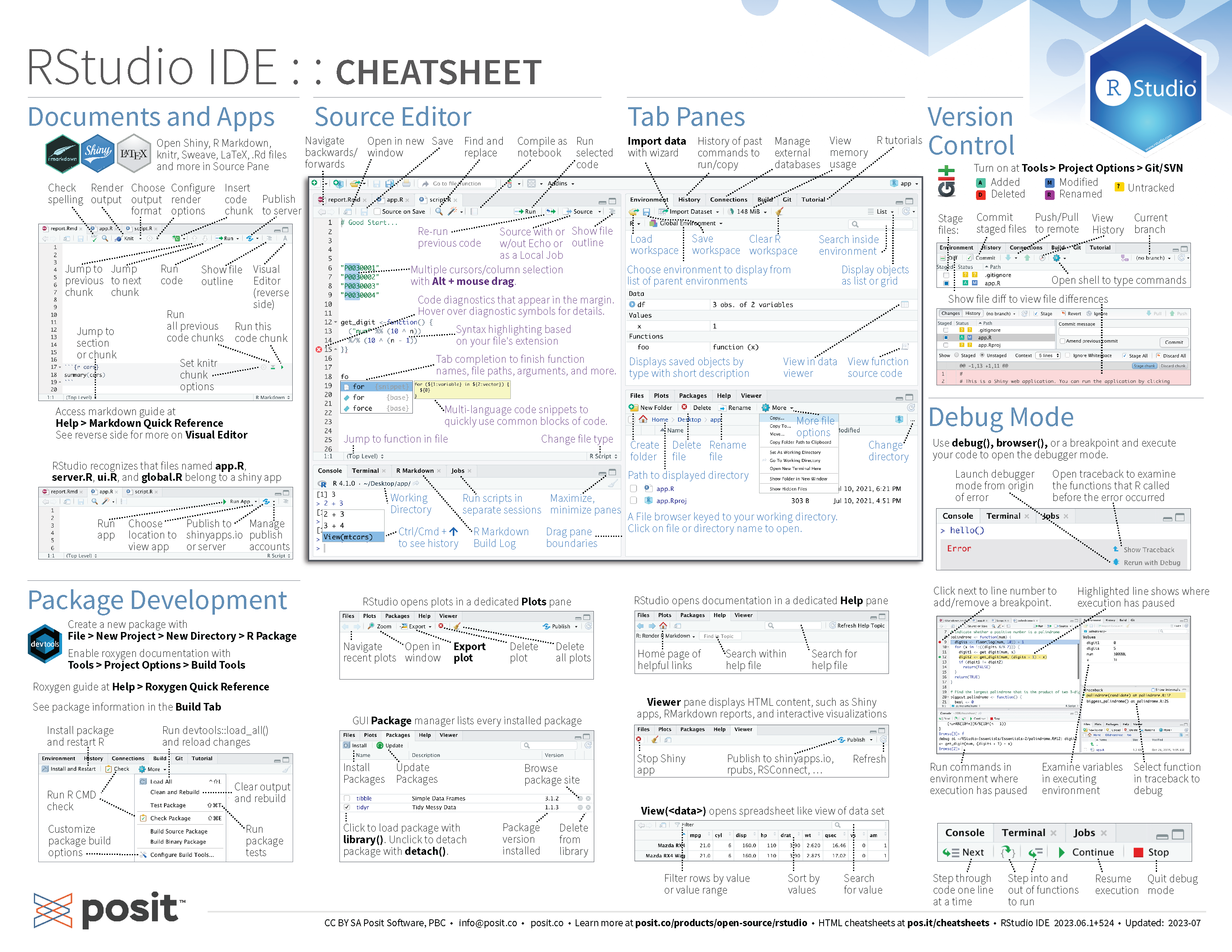
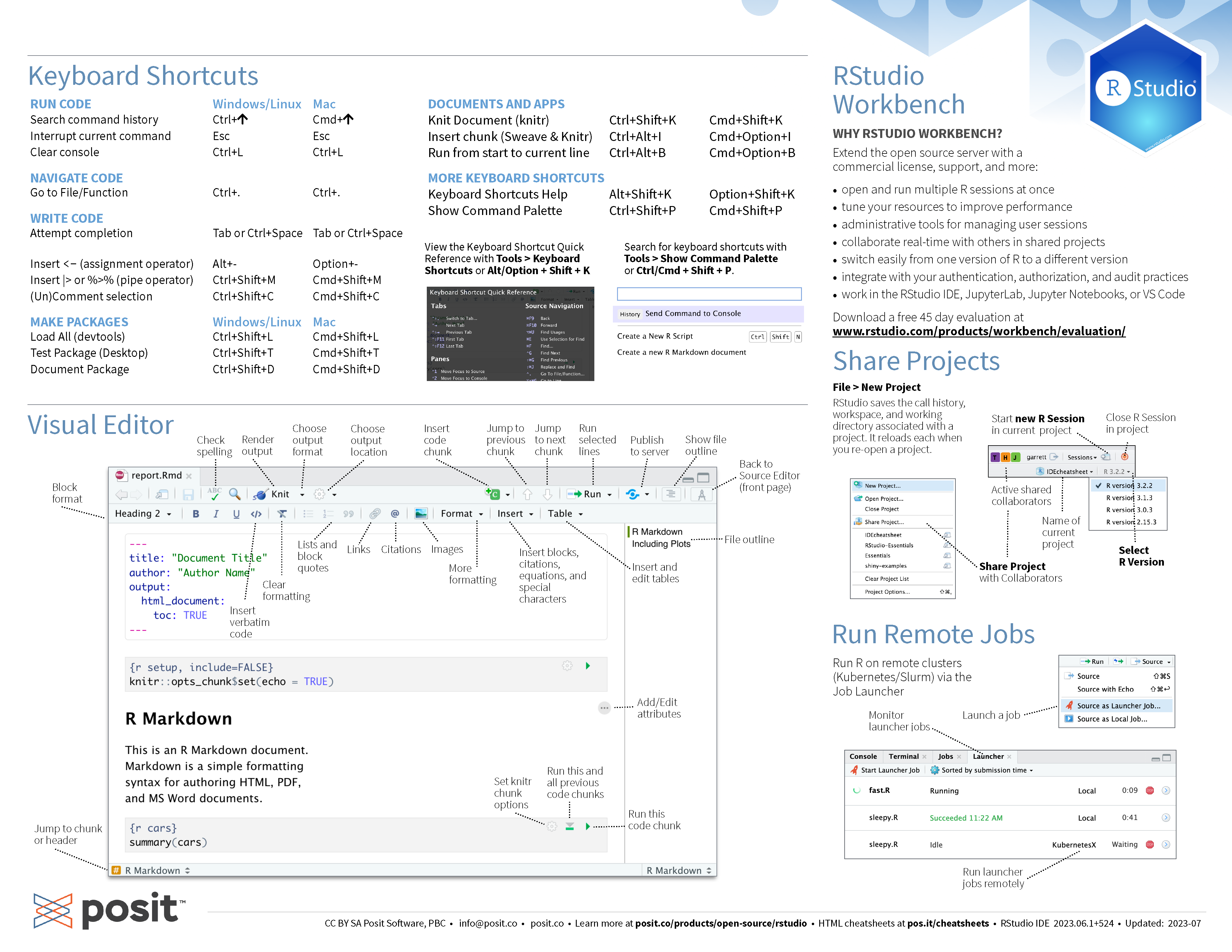
RStudio Desktop Cheatsheet